
Free Mac tools for people who code with AI
I build Little Worker on my own, mostly with AI coding tools. Along the way I made a few small Mac apps to keep that work going. They're free, open source (MIT), and you don't need Little Worker to use them.
 Parker RexMaker of Little Worker

Little Limits
Mac menu bar app · Free · MITNever get cut off in the middle of a task again.
Little Limits puts what's left of your AI coding limits in your menu bar, on every account, with when each one resets and when your weekly total will hit zero.
brew install --cask parkerrex/tap/little-limitsWatch a limit drain, then reset.
This isn't a video. It's drawn live in your browser: the 5-hour limit drains, the number in the menu bar turns orange, then red, and the moment it resets the gauge jumps for joy.
It taps you on the shoulder, three ways.
Each one is off until you turn it on in Settings, and the words are the ones Little Limits really sends. Your Mac shows them one banner at a time; here they stack up the way Notification Center keeps them.
- Morning digestAt the time you pick: what's left on every account, and which one to use first.
- NudgeWhen part of a week would reset unused, at most four times a week and never between 10pm and 8am. It brings the top task from your burn list, and Copy Task puts it on your clipboard.
- WarningWhen an account is almost empty and another one has room, so you switch before you're cut off.
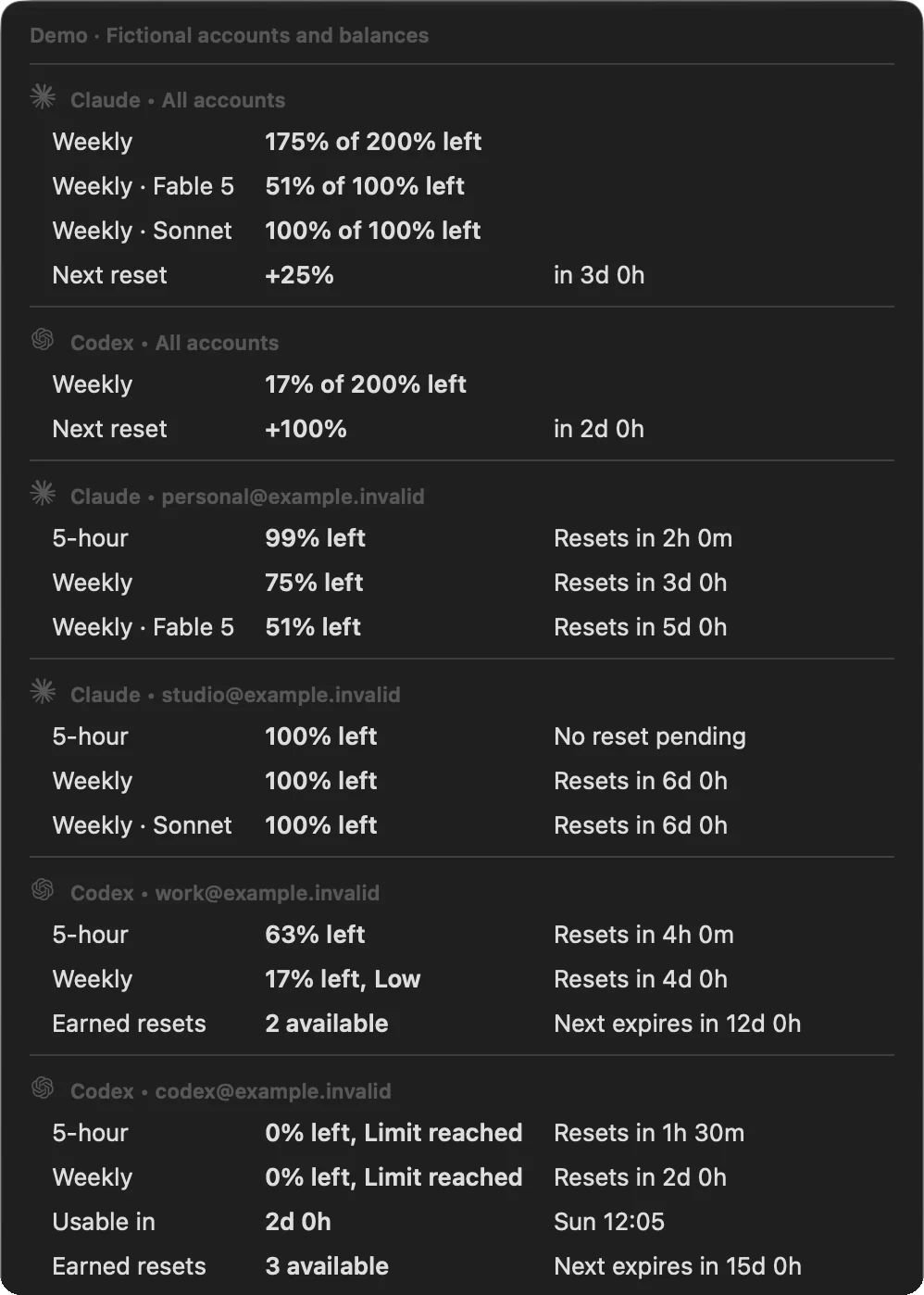
Every limit, one click away.
The menu bar shows the lowest number left. Click it for each account's 5-hour and weekly limits, the totals across accounts, and when each one resets.
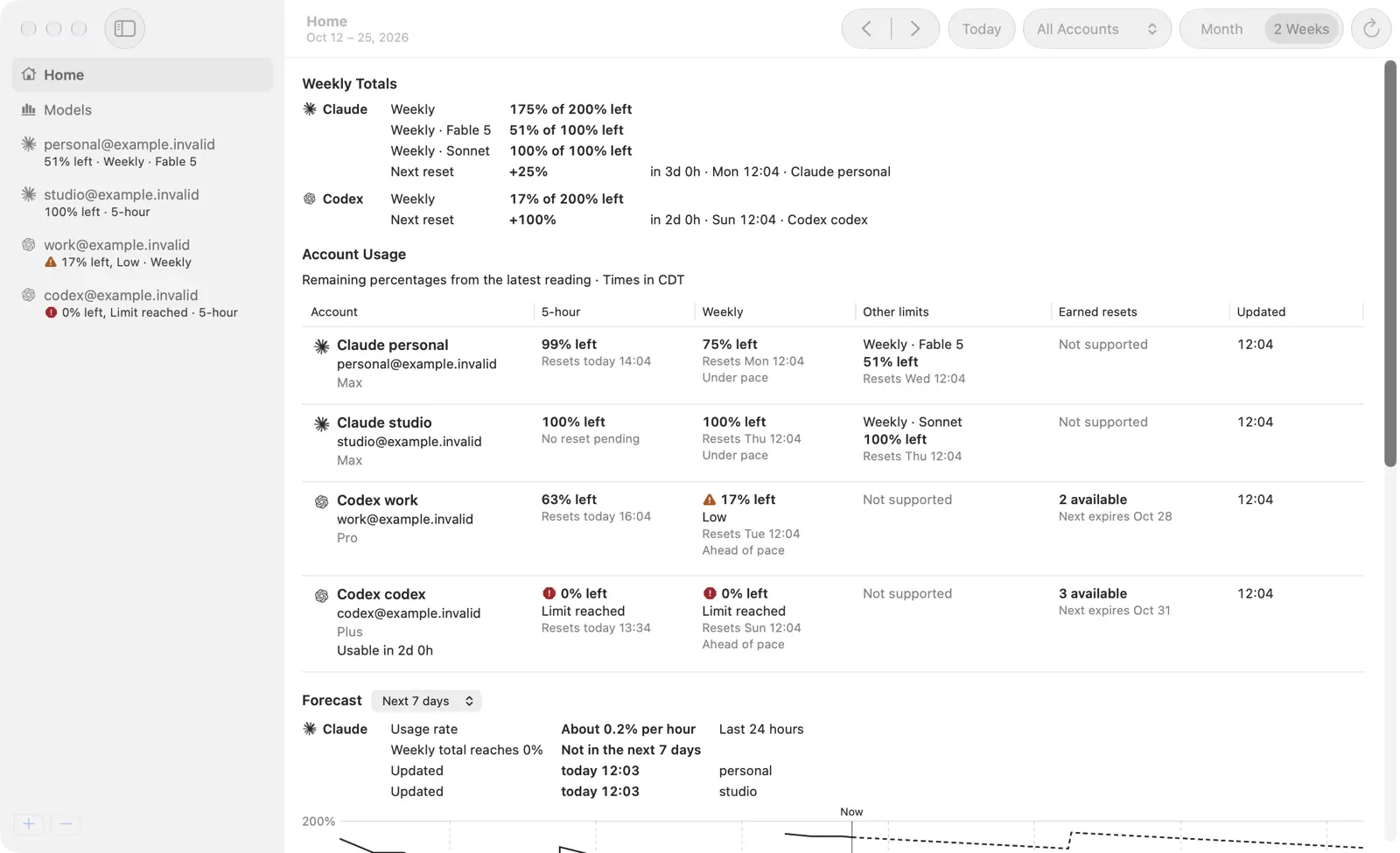
All your accounts in one window.
Home puts every account in one table, adds up what's left this week, and draws a forecast of when your weekly total would reach zero.
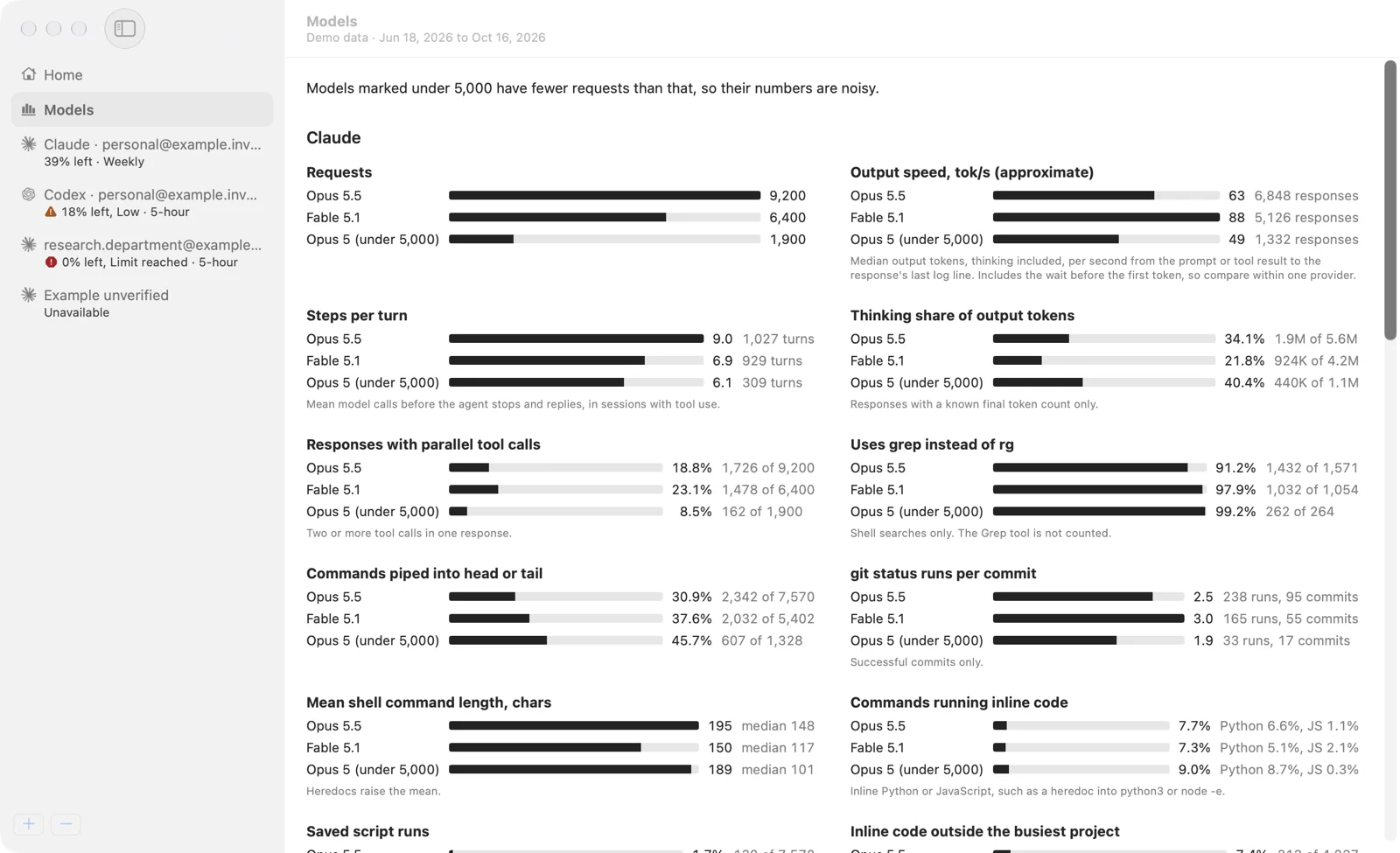
See how each AI you use really works.
From the logs your AI coding tools already keep on your Mac, it shows how each AI you use behaves: how fast it answers, how many steps it takes, and which commands it reaches for.


Why you'll like it
You see it coming.
The number sits where you always look, so a limit never surprises you halfway through a change.
Read-only.
It never buys credits, changes your plan or spends your usage to check your usage.
Stays on your Mac.
Your history never leaves it. It keeps numbers and times, never what you type, the replies or your files.

Little Mac Stats
Mac menu bar app · Free · MITFind the AI tool that's making your Mac hot.
Little Mac Stats is a menu bar CPU monitor that groups load by app, spots your AI coding tools, and stops a stuck one safely after you say yes.
brew install --cask parkerrex/tap/little-mac-statsCatch the busy one, and stop it.
Drawn live, not filmed: one stuck helper pins four CPUs, the blocks in the menu bar fill up, and one Quit brings them back down. Chip approves.
Which app is busy, at a glance.
Total CPU over the last 60 seconds, and every app sorted by how much it uses. Helpers fold into their app, so ten processes read as one line.
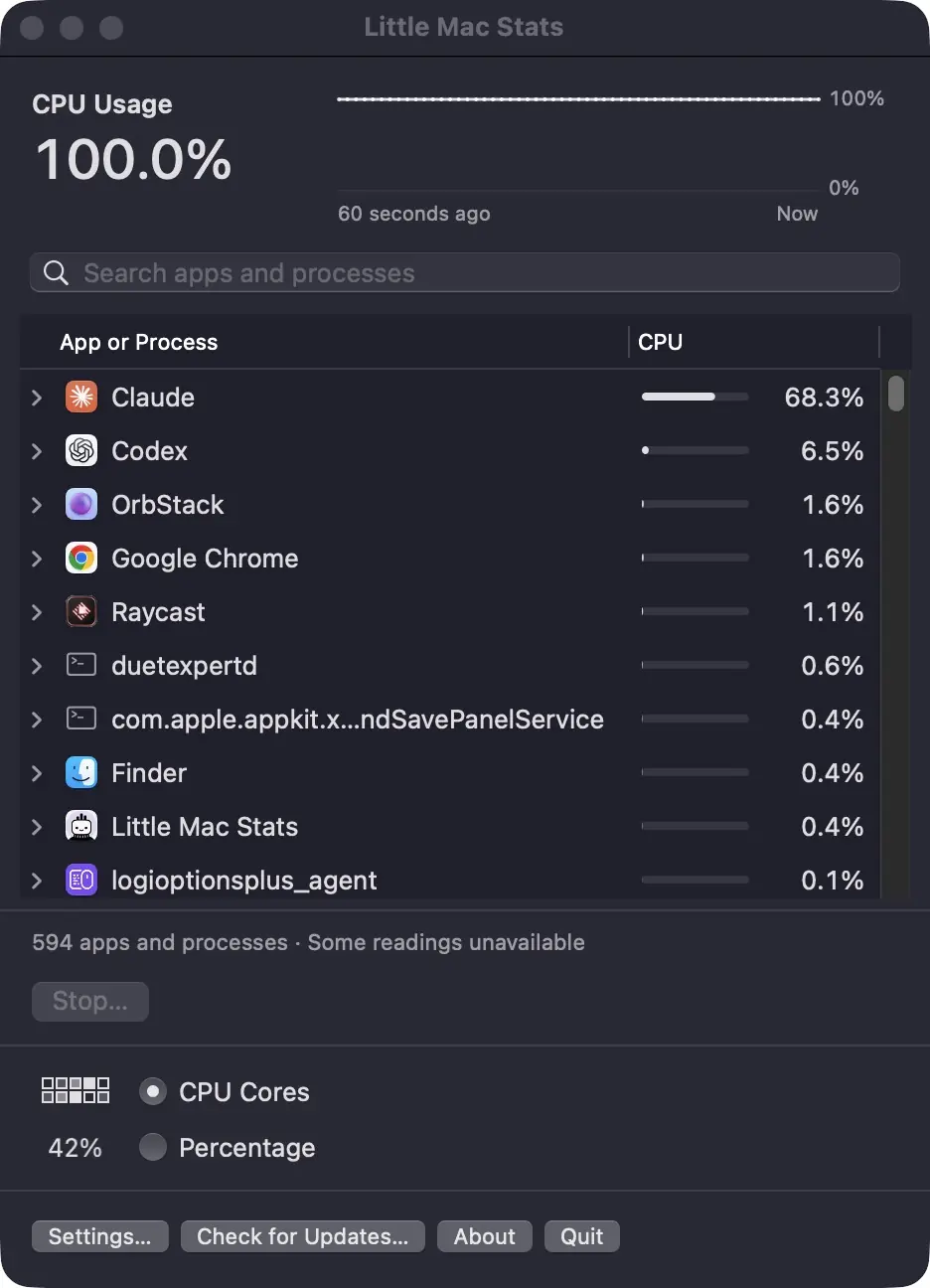
Everything your AI tool started, in one place.
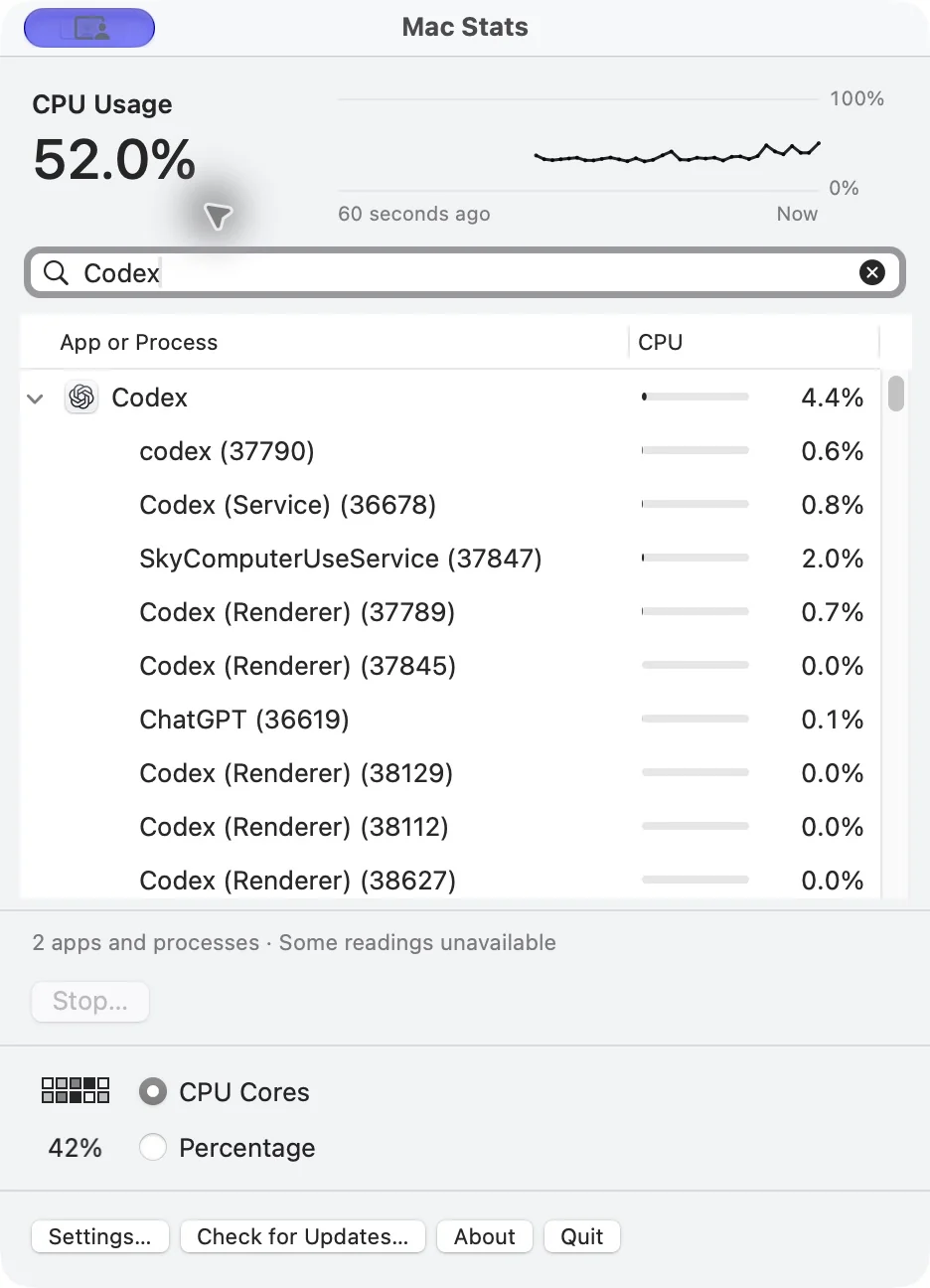
Type your coding tool's name to see its total, then open it to see every helper and renderer it started, each with its own share.
Why you'll like it
Stops a stuck process safely.
Quit or Force Quit after you confirm. It checks again right before acting, and it won't touch system processes.
Light on your Mac.
With the menu closed it checks every two seconds without listing processes, and it pauses while your Mac sleeps.
Private.
Process names and readings never leave your Mac. There's no account and no tracking.
Why are these free?
I made them for myself first. Sharing them costs me nothing, and if one saves you an afternoon, you might look at what I'm building.
Parker Rex, Maker of Little Worker
Little Worker is a to-do list with a team of AI workers. Give a to-do to Lou and it comes back done. See Little Worker.